

Faster work
Turn long tasks into short ones. Drafts, summaries and reports in minutes.
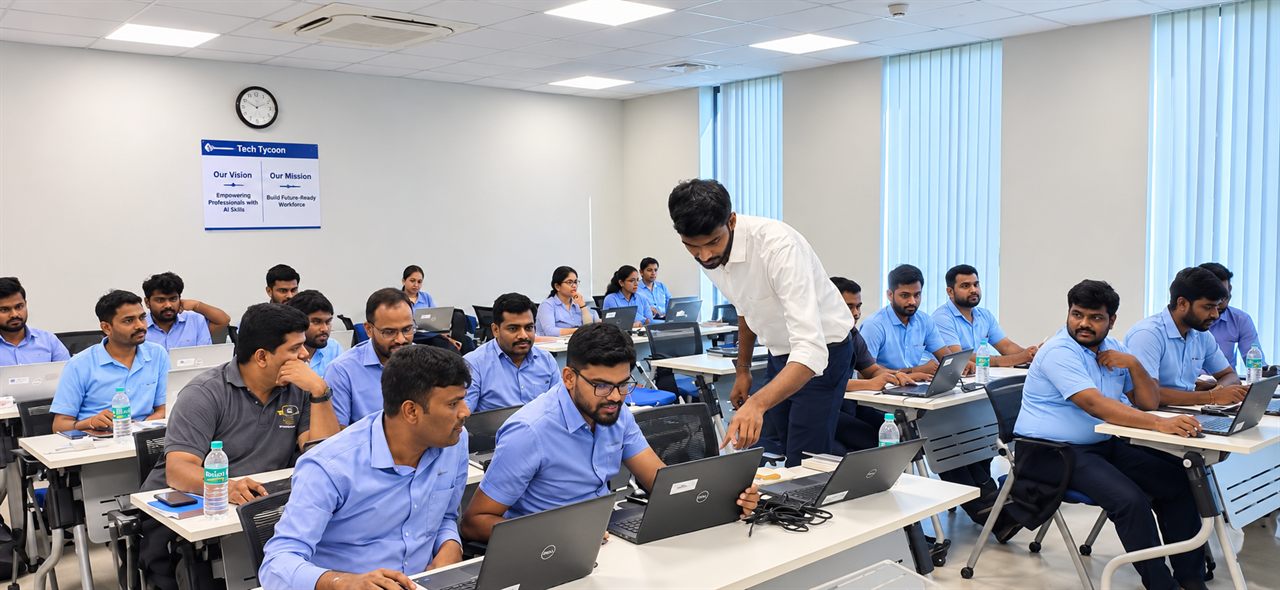
Tech Tycoon Academy · 3-hour practical session
Learn to use AI tools for real work. Create content, prepare reports, automate daily tasks and save hours every week.
Join our AI-Powered Career Development Session. Choose the session-only option for ₹99 or get the complete session with a document for ₹499.
Why this session
People who know how to use AI finish tasks in minutes that used to take hours. This is not about becoming a tech expert. It is about knowing which tool to use, what to type and how to check the answer. Anyone can learn it.
Our promise
You will not just watch AI. You will use it. By the end of 3 hours, you will have done real work with real tools.
Turn long tasks into short ones. Drafts, summaries and reports in minutes.
Cleaner writing, sharper ideas and professional output every time.
Stop guessing. Learn simple steps you can repeat on any task.
Show your team and your next employer that you know how to work with AI.
Myths vs truth
Myth
Truth: Most AI tools work with plain sentences. If you can write a message, you can use them.
Myth
Truth: AI makes the first draft. You decide, edit and own the final result.
Myth
Truth: AI can sound sure and still be wrong. You will learn how to check it.
Skills you will build
Six practical skills. Each one maps to a task you already do at work.
How to ask AI the right way so you get useful answers, not generic ones.
Write emails, posts, proposals and scripts that sound clear and human.
Turn raw notes and data into clean reports and slide outlines fast.
Hand off repeat work like summaries, replies and checklists to AI.
Find, compare and summarise information in a fraction of the time.
Check facts, protect private data and avoid common AI mistakes.
Write, explain, plan and answer questions.
Build slide outlines and speaker notes.
Make clean visuals for posts and documents.
Find and summarise information fast.
We pick tools that are easy to start with, so you can keep using them after the session.
Built for working people
If you work with words, data, people or deadlines, this session is for you.
Speed up documentation, debugging notes, reports and client updates.
Plan campaigns, write ad copy, ideas and content calendars faster.
Draft job posts, screen summaries, policies and employee messages.
Prepare pitches, follow-ups, proposals and research on leads.
Create plans, meeting notes, reviews and clear team communication.
Deliver more client work in less time and win more projects.
Build a stronger resume, practise interviews and stand out.
No coding needed. If you can type, you can follow along.
Before and after
Here is what changes when you know how to use AI well.
AI gives you a strong first draft. You bring the judgment. That mix is what makes you valuable.
"Write a report."
Result: vague, long and not useful.
"You are an HR executive. Write a one-page monthly report from these notes. Use 3 headings and end with next steps."
Result: focused, structured and ready to share.
Session agenda
Short talk, then practice. Every block ends with something you built yourself.
What AI can and cannot do. The tools we will use.
A simple formula to get better answers, with live practice.
Emails, posts, proposals and messages in your own voice.
Stretch, chat and ask questions.
From messy notes to a clean report and slide outline.
Save time on daily tasks. Research faster and check facts.
Your personal plan to use AI from tomorrow.
Timings are a guide and may change on the day.
A laptop or phone, internet access, a notebook and one real task from your work.
Try every exercise yourself. Ask questions. Use your own work examples.
Hands-on exercises
Bring your laptop or phone. These are the exercises we will do together.
Take a weak request and fix it step by step. See how the answer improves each time.
You create: a stronger prompt
Write a client email and a follow-up. Adjust tone from formal to friendly.
You create: an email and a follow-up
Turn messy notes into a structured report with a summary and next steps.
You create: a structured report
Create a slide-by-slide plan with titles, key points and speaker notes.
You create: a slide outline with notes
Compare options, pull key facts and learn how to double-check the output.
You create: a fact-checked summary
Pick one task from your own job and build a reusable prompt for it.
You create: a reusable prompt for your job
Your takeaways
You leave with skills and ready-to-use material. Not just notes.
Open your laptop tomorrow and finish a work task in half the time.
One session. Three hours. Skills you will use every working day. Pick the option that suits you.
Session Only
₹99
Complete package
Session + Document
₹499
One price, ₹499 in total. No extra document fee.
Choose Session + Document · ₹499FAQ
No. If you can type and use a browser, you can follow this session.
There are two packages: Session Only for ₹99, or Session + Document for ₹499 (one total price, no extra document fee). Click "Join the Session", choose your package in the short registration form, then pay the amount shown on our secure Razorpay payment page. Your seat is confirmed once payment is completed.
We focus on tools you can start with easily. Details will be shared before the session.
No. Marketers, HR, sales, managers, freelancers and job seekers all gain from it.
AI will not replace you. A person who uses AI well may replace a person who does not. This session helps you be that person.
A laptop or phone, internet access and one real task from your work you want to improve.
No. That is why we teach you how to check answers and use AI safely.
Ready to start?
Build practical AI skills. Improve your productivity. Learn by doing, in just 3 hours.